Last Thursday, our team met in Wrocław for our company meetup. The core focus of the day? AI—where we are, where we're heading, and how to build with it in a way that actually makes sense. During the event, I had the pleasure of delivering a presentation on a challenge that every team scaling AI will eventually face.
Implementing AI into a project today is often just a matter of writing a few lines of code. The real problem begins when the monthly cloud bill arrives. Let me tell you how a simple automated system generated $14,000 in API costs instead of the planned $200—and how we reduced that consumption by 99.4% while maintaining the exact same quality.
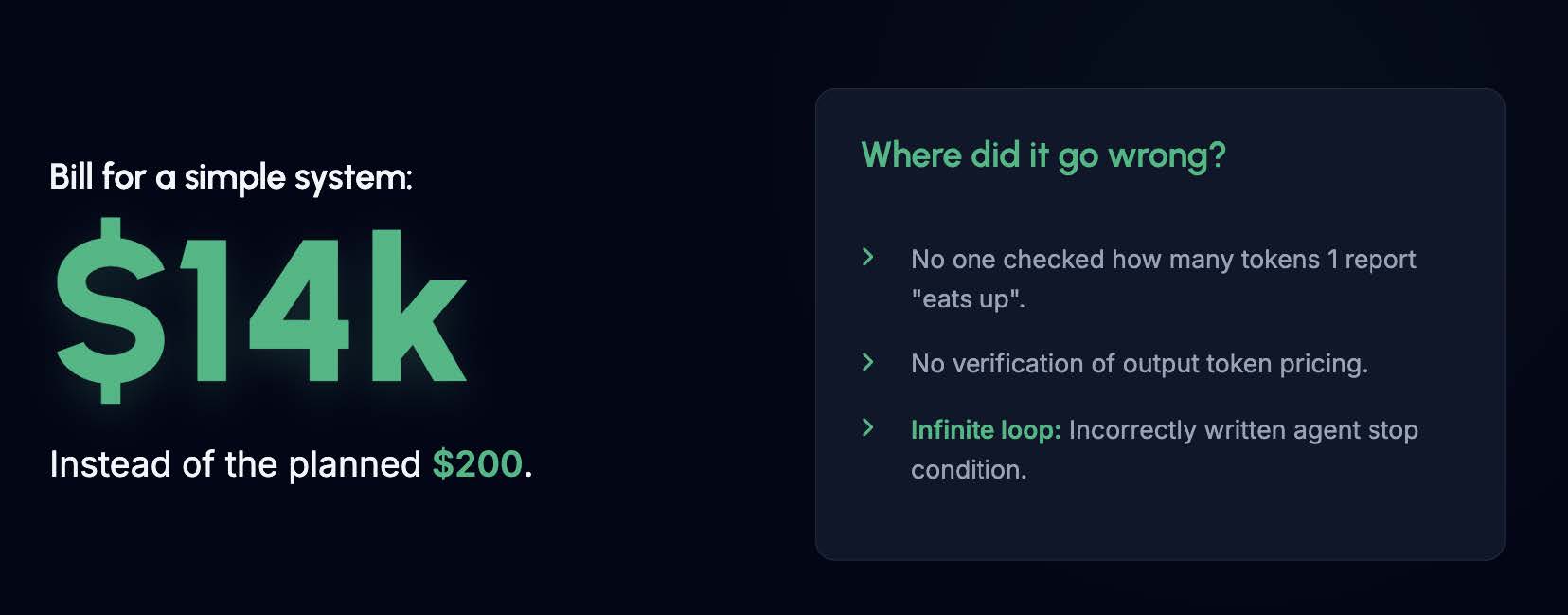
Building efficient agentic architectures isn't just about crafting the cleverest prompt. It is primarily about API budget management. In the story mentioned above (originally shared during the AI DEVS 4 course), nobody checked how many tokens a single report "eats up." Nobody verified the pricing of output tokens. And worst of all, a poorly written stop condition sent the agent into an infinite loop.
Before we dive into the code and our 9-step optimization process, we need to ask ourselves two fundamental questions.
Two key questions
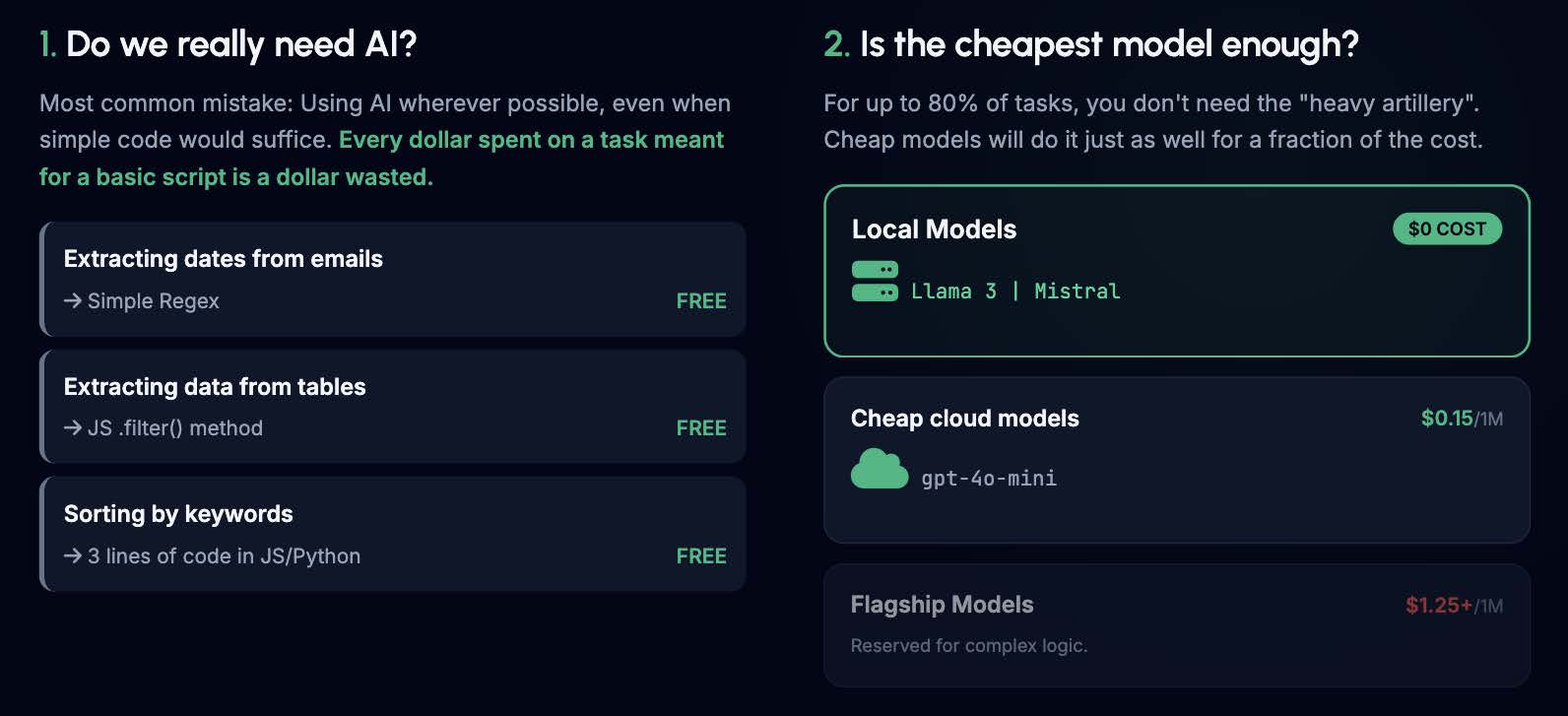
The most common mistake developers make is using AI everywhere just because they can. Every dollar spent on an AI task that could have been handled by a basic script is a dollar wasted.
- Extracting dates from emails? Use a simple Regex.
- Extracting data from tables? Use the JS .filter() method.
- Sorting by keywords? That's 3 lines of code.
The second question is: Is the cheapest model enough? For up to 80% of tasks, you don't need the heavy artillery (like GPT-5.5 or Claude Opus 4.7 ). Cheap cloud models (like gpt-4o-mini ) or free local models (Llama 3, Mistral ) will do the job just as well for a fraction of the price.
Language Has a Price Tag
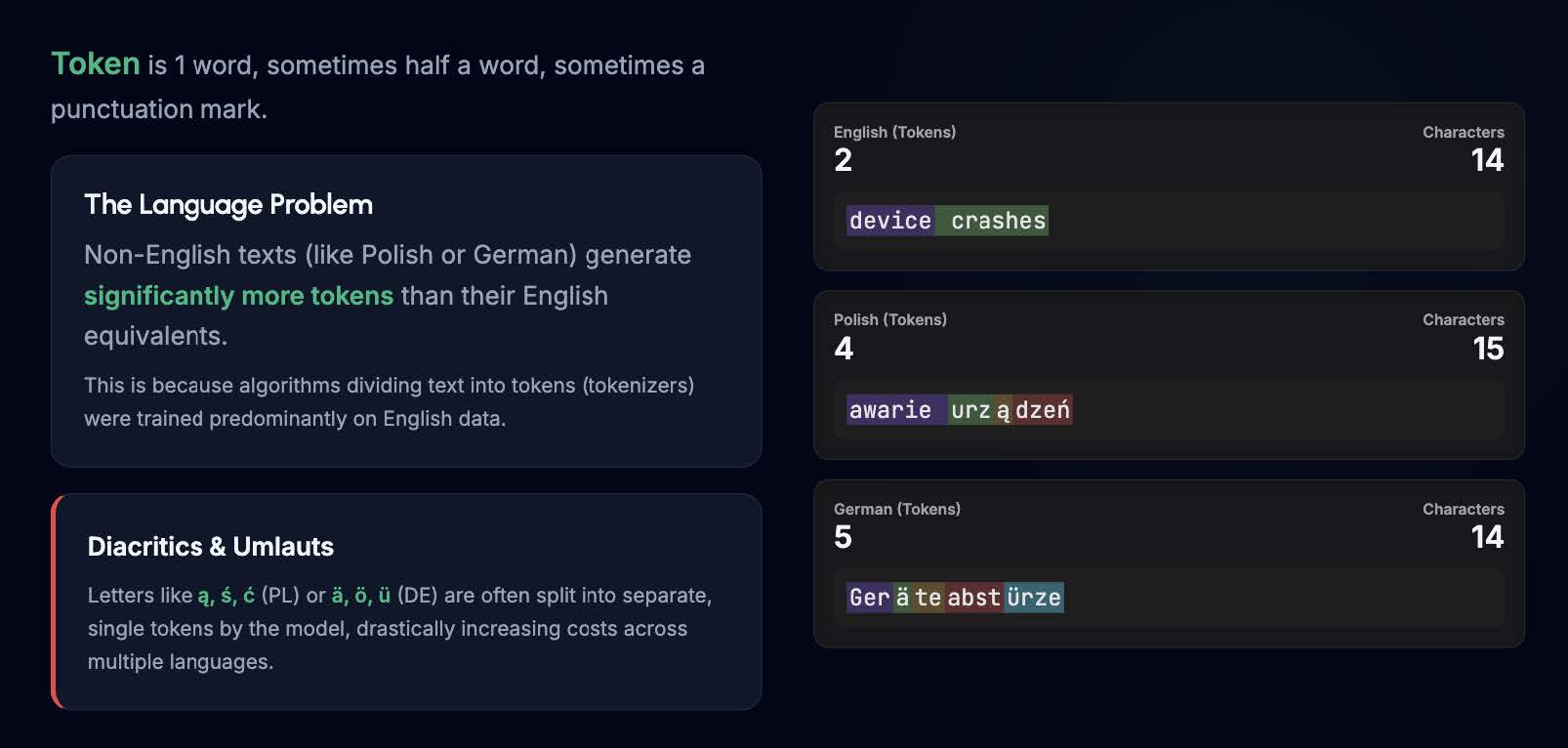
There's one more thing to remember before we start: non-English texts generate significantly more tokens. This is because tokenizers (the algorithms dividing text into tokens) were trained predominantly on English data. Diacritics and umlauts like ą, ś, ć (Polish) or ä, ö, ü (German) are often split into separate, single tokens by the model. For example, the phrase "device crashes" is just 2 tokens. The Polish translation ("awarie urządzeń") is 4 tokens, and the German translation ("Geräteabstürze") jumps to 5 tokens. You are paying extra simply for the language barrier.
Practical Workshop: E-commerce Tickets
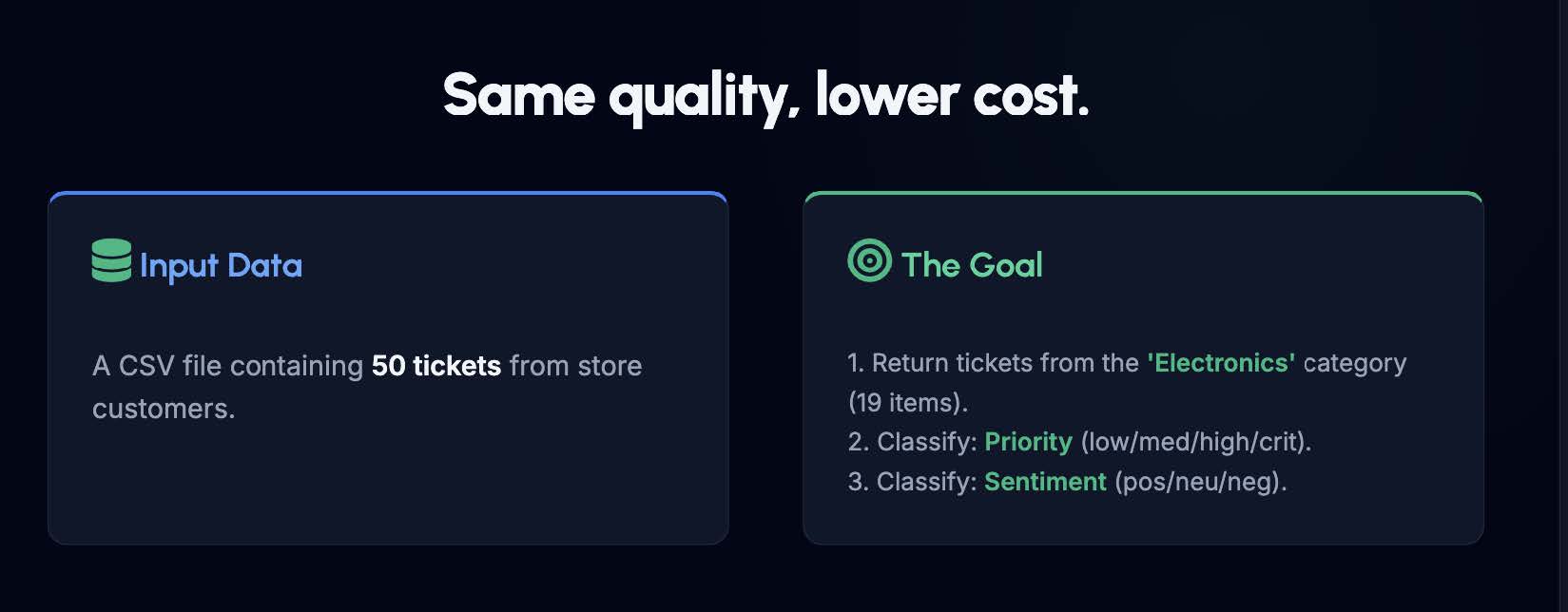
Let's look at a real-world scenario. We have a CSV file containing 50 customer support tickets. Our goal is to:
- Filter out tickets from the 'Electronics' category (19 items).
- Classify their Priority (low/med/high/crit).
- Classify their Sentiment (pos/neu/neg).
How to Track the Progress in the Code
Before we began the optimization, we had to answer one crucial question: How do we prove that we are actually maintaining quality? To do this, we established an ultimate baseline. We generated a reference file using the most powerful model available on the market right now (as of June 2026): OpenAI's GPT-5.5, with its "thinking" parameter set to high. We fed it the full, uncompressed dataset with zero prompt limitations to achieve the absolute best classification possible.
In every single step of our workshop, our code programmatically compares our newly optimized output against this exact GPT-5.5 baseline. This ensures that even when we downgrade to cheaper models or aggressively truncate data, our accuracy is strictly monitored against the industry's gold standard.
You can view the exact reference file we validate against here: Github: Reference file
For every step of this optimization journey, there is a corresponding folder in my GitHub repository. Inside each folder, you will find:
- The main agent file (app.ts) containing the execution logic.
- An output folder with a detailed .md report showing exact metrics, costs, and the quality check against the GPT-5.5 reference file.
Repository: GitHub: repository
Step 1 & 2: Language Optimization (PL vs EN)
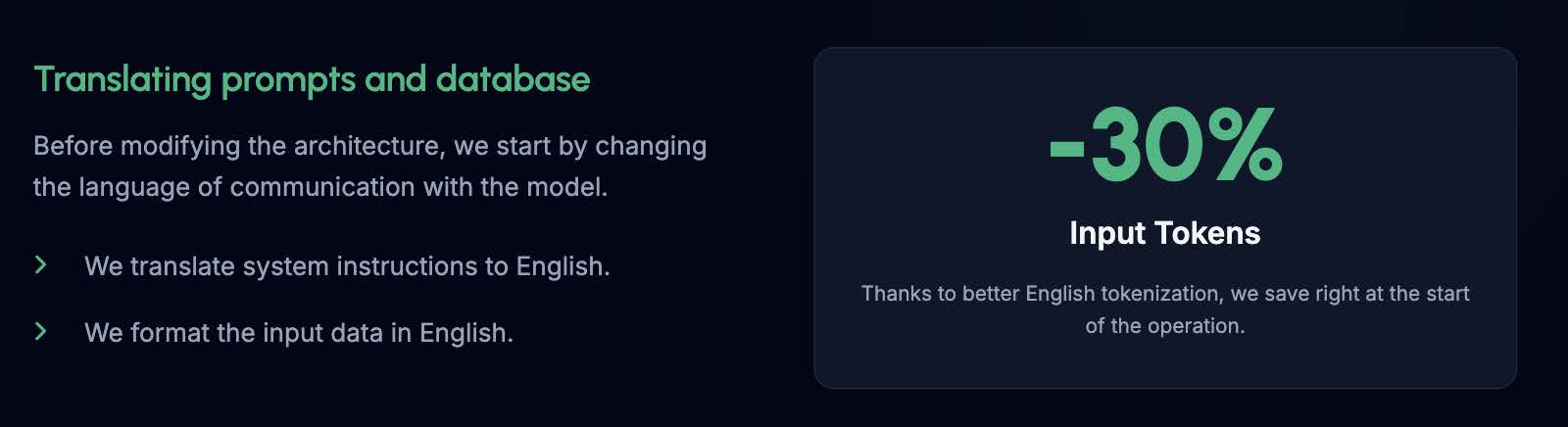
Before modifying the architecture, we start by changing the language we use to communicate with the model. We translate our system instructions from Polish to English, and we format the input data (our table with 50 records) in English as well.
Result: Due to much better tokenization in English, we save around 30% on input tokens right from the start. See detailed report in stats.md file.
Step 1: GitHub: step-01-no-optimalization
Step 2: GitHub: step-02-english
Step 3: Code-Side Filtering
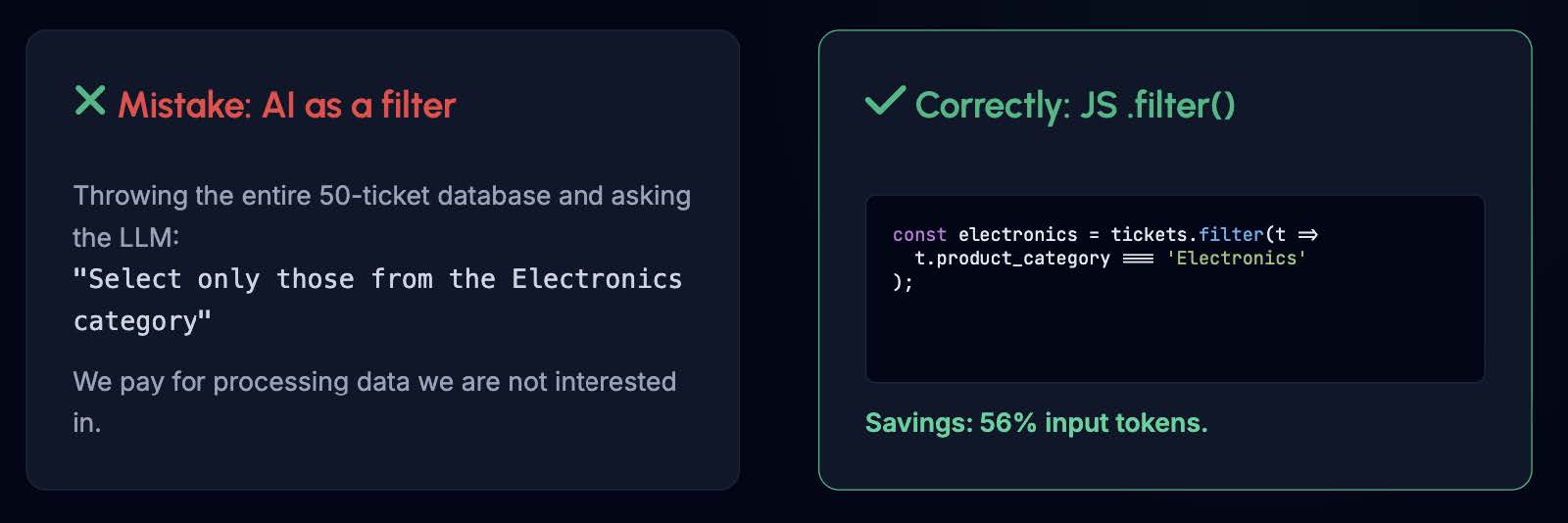
A massive mistake is throwing the entire database at the LLM and asking: "Select only those from the Electronics category." If you do this, you are paying the API to process data you don't even care about.
Instead, we filter the data with hard code before it ever reaches the LLM:
const electronics = tickets.filter(t => t.product_category === 'Electronics');
Result: We save 56% of input tokens simply by passing less data.
Step 3: GitHub: step-03-filtering
Step 4: Model Routing (Confidence Score)
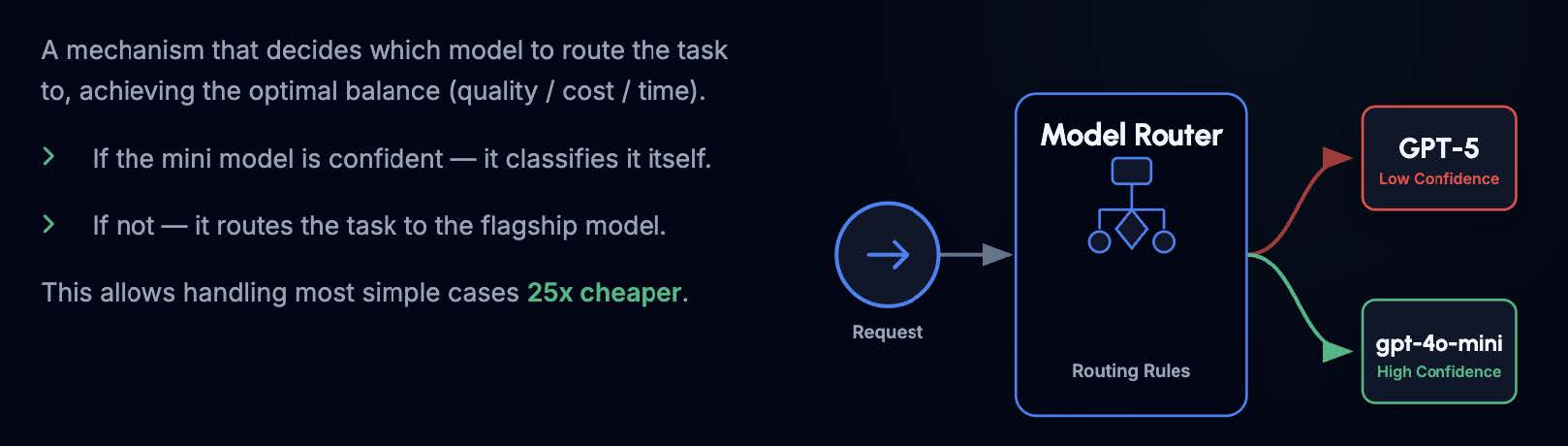
Not every ticket requires a flagship model. We can build a router that decides where to send the task to achieve the optimal balance of quality, cost, and latency:
- The task goes to a cheap model first (e.g., gpt-4o-mini).
- If the mini model is highly confident in its assessment (high confidence score), we accept the classification.
- If it's a complex, ambiguous ticket (low confidence score), the task is routed to the flagship model (e.g., GPT-5.5).
This mechanism allows us to handle the vast majority of standard cases up to 25x cheaper.
Step 4: GitHub: step-04-routing
Step 5: Context Optimization (Lean Data)
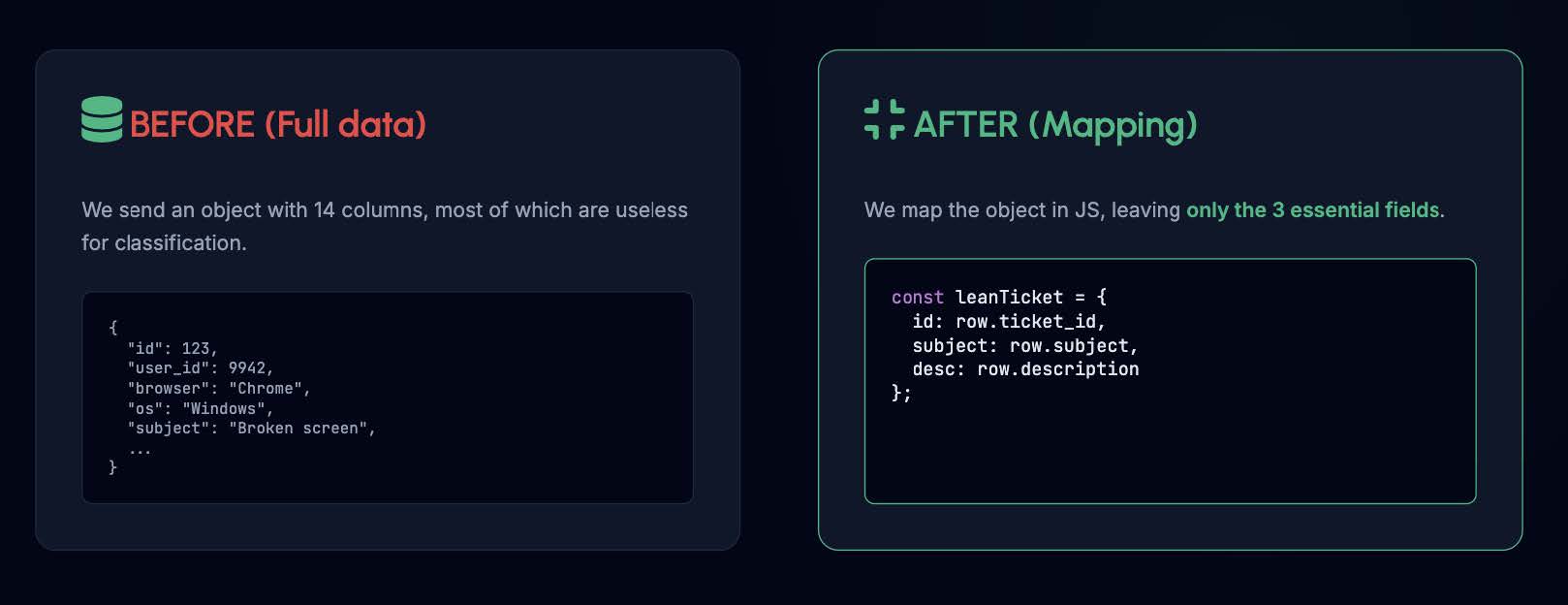
In a standard database object, we often send up to 14 columns (User ID, Browser, OS, Login Date, etc.). Most of these are completely useless for sentiment classification. We map the object in JavaScript, passing a strictly "lean" version of the data containing only the 3 essential fields:
const leanTicket = {
   id: row.ticket_id,
   subject: row.subject,
   desc: row.description
};
Step 5: GitHub: step-05-lean-data
Step 6: Prompt Compression
Naturally, we tend to write prompts as if we were talking to a human. They are full of polite phrases and filler words.
To fix this, we use the most powerful model once, offline, before launching the application. We feed it our massive, wordy prompt and ask for its distillation. Distillation squeezes out the absolute essence—removing all the "please" and "you are an expert" phrases, leaving a pure, information-dense instruction concentrate. We then hardcode this short prompt into our app.
Result: Our prompt drops from 58 lines (2718 characters) to 15 lines (1055 characters), saving roughly 300 tokens per request.

Step 6: GitHub: step-06-prompt-compression
Step 7: Pipe-Separated Data
JSON is a fantastic programming standard, but by constantly repeating keys, quotes, and brackets, it devours your token budget. Switching to raw text separated by a vertical bar (|) is perfectly understandable for the LLM and drastically cuts input costs.
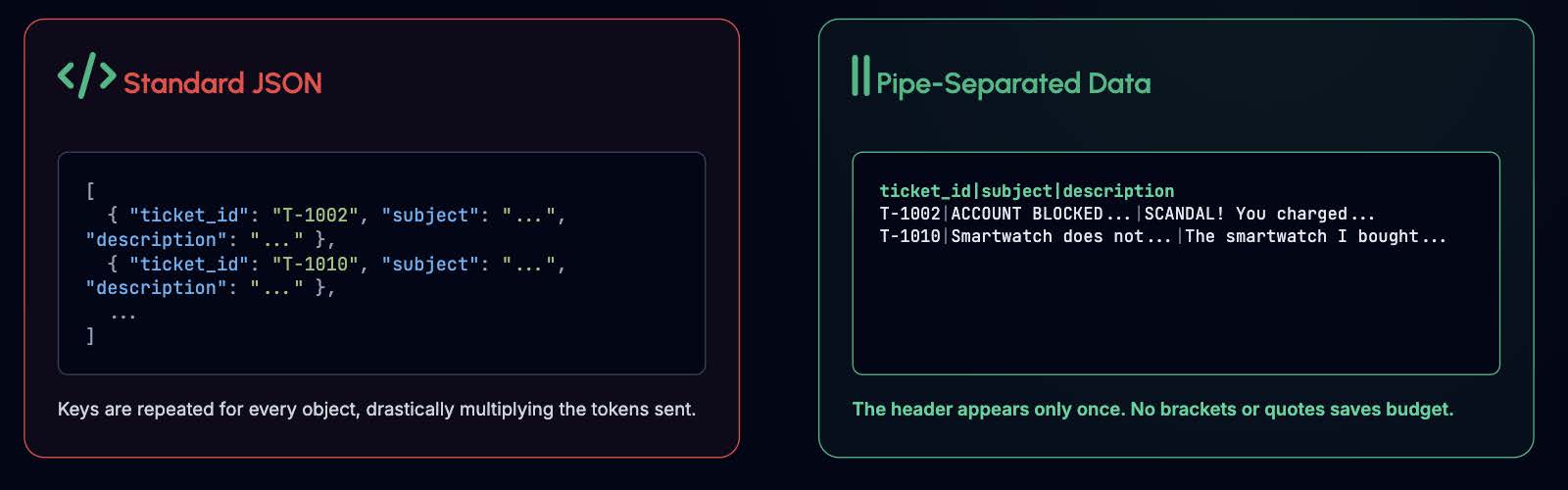
The header appears only once, and the lack of brackets saves your budget.
Step 7: GitHub: step-07-pipe-separated
Step 8: Truncation (Proceed with Caution)
The model doesn't always need to read the customer's entire life story. Customers can write 1,000 words, but the fact that a product is broken and they want a refund (Sentiment: Negative, Category: Electronics, Priority: High) is usually obvious in the first three sentences.
We can aggressively truncate the description field in our code to a reasonable limit, e.g., 150 characters:
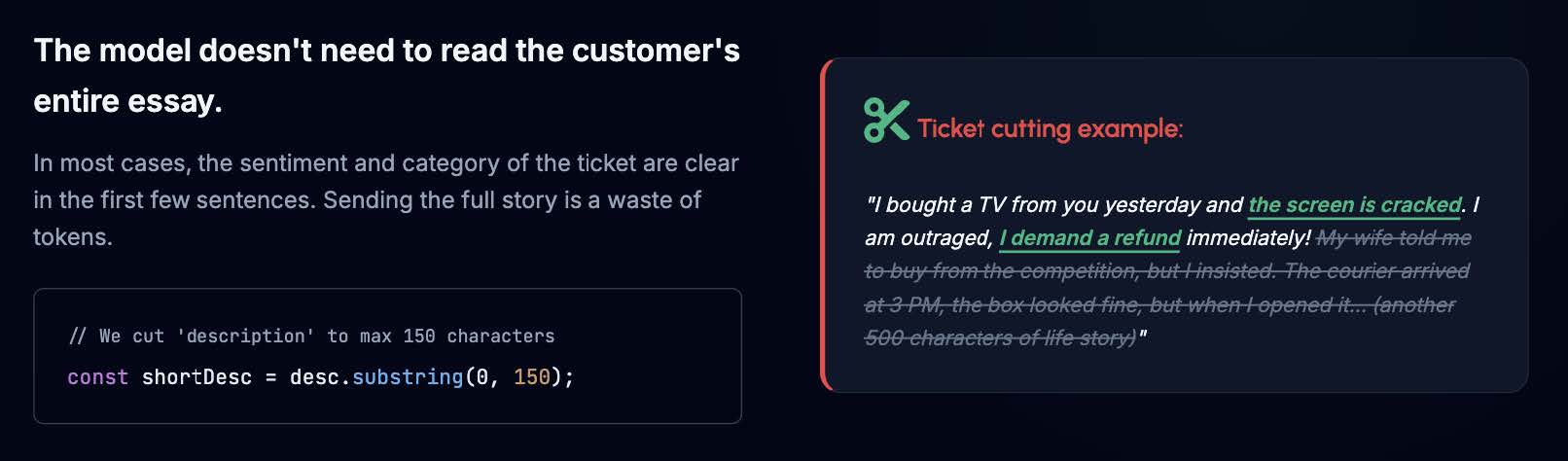
Warning: This is a high-risk, high-reward technique. While it drastically cuts input costs, you risk chopping off crucial context if the user hid the most important information at the end of their message. In our workshop example, aggressive truncation caused a slight drop in accuracy compared to our GPT-5.5 reference file:
Coverage: 16/19 tickets matching 100%
Classification differences (Reference vs. Result):
- T-1021 (Sentiment): positive vs neutral
- T-1056 (Priority): high vs medium
- T-1073 (Priority): critical vs high
It is definitely worth testing, but you must carefully measure the trade-off between token savings and the acceptable error rate for your specific business case.
Step 8: GitHub: step-08-truncation
Step 9: Local Models (The Real-World Reality Check)
The ultimate goal in a mature infrastructure is often eliminating the external API altogether. In theory, passing our optimized payload to a local model via tools like Ollama promises full data privacy and an API cost of exactly $0.00.
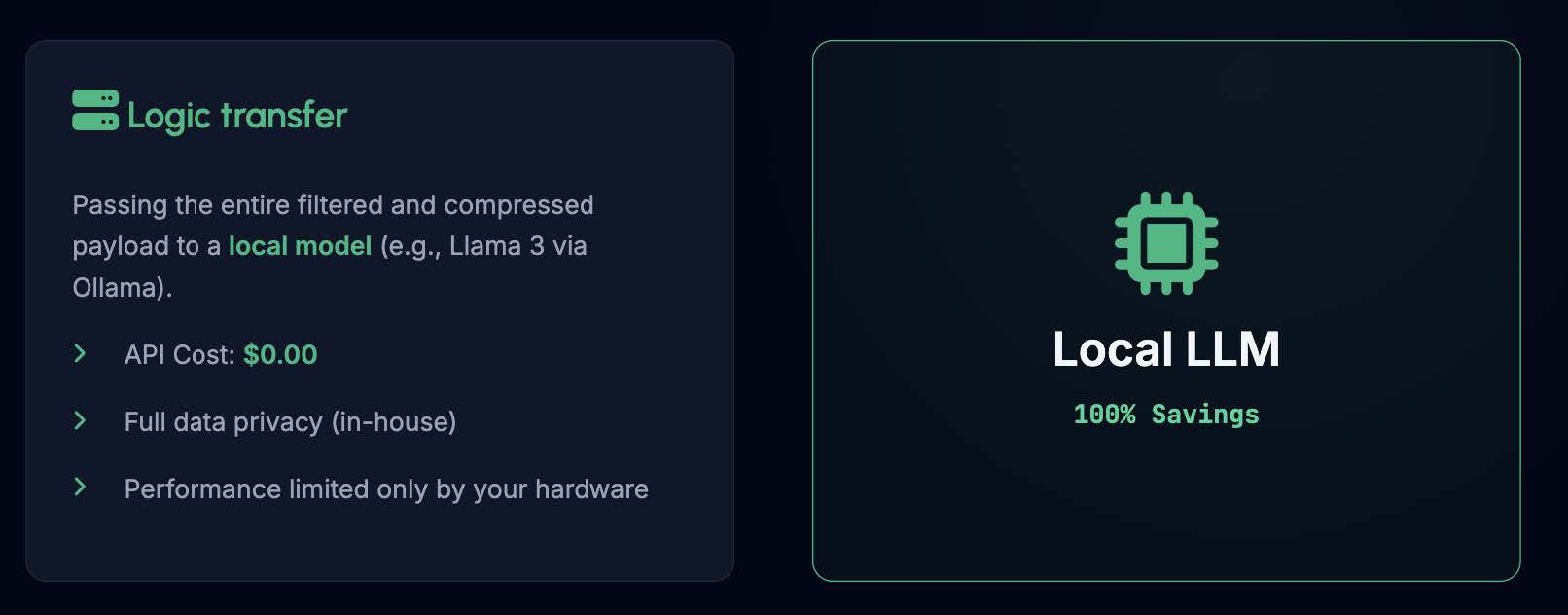
However, in our practical test, local models completely failed to keep up.
We benchmarked three popular 7-8 billion parameter open-source models against our gpt-4o-mini baseline, and the drop in classification accuracy was massive:
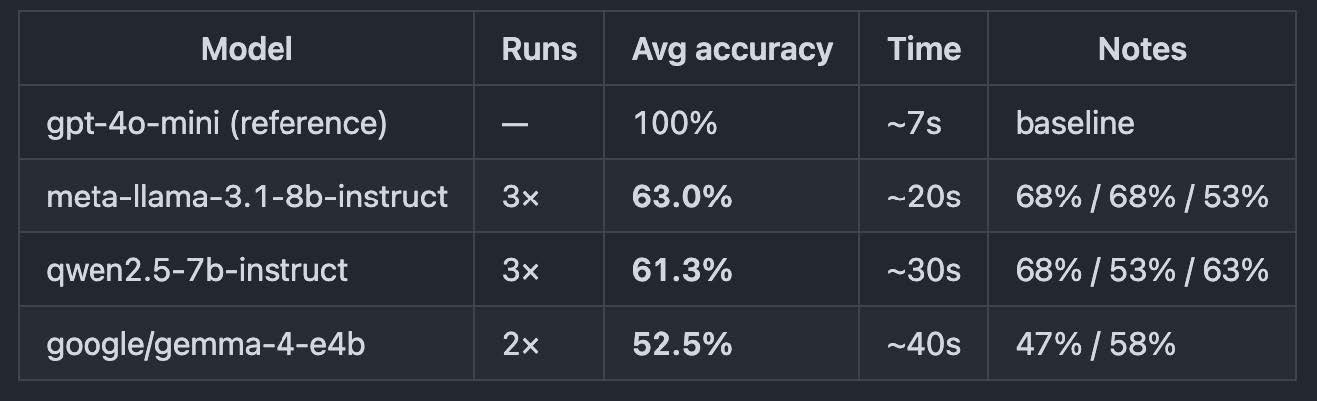
All three models scored below 65% on average, trailing more than 35 percentage points behind our cloud baseline. The high variability between test runs suggests a significant level of instability when local architectures handle this kind of multi-variable classification.
The takeaway? Small 7B-8B parameters are simply too weak for stable, high-quality production reasoning here. To successfully execute this step at 0$ cost, you will need to look at heavier, more robust open-source alternatives like 32B or 70B parameter models. They can likely achieve the accuracy you need—but they come at the cost of steep hardware requirements and much longer inference times.
Step 9: GitHub: step-09-local-model
Pro Tip: Batch API
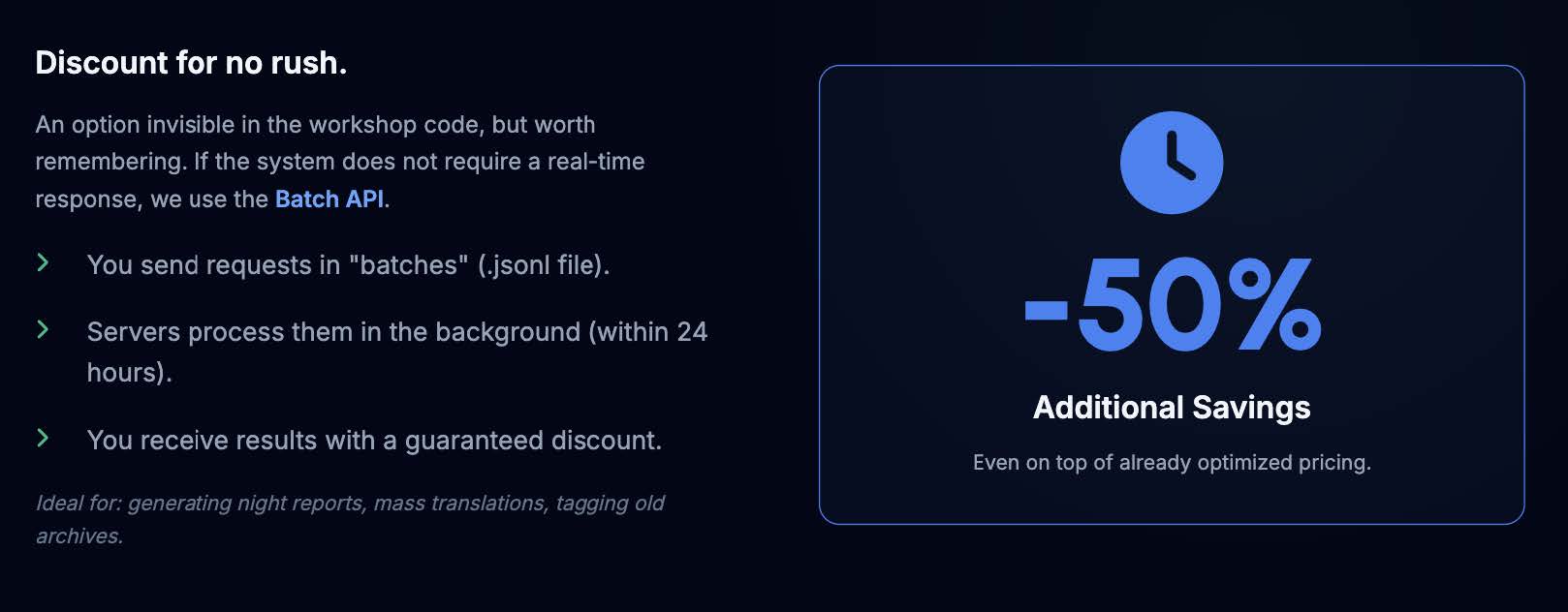
If your system doesn't require real-time responses (for instance, generating overnight analytical reports), use the Batch API. You pack your requests into .jsonl files, servers process them in the background within 24 hours, and you receive a guaranteed 50% discount on top of your already optimized pricing.
Scalability: The Real-World Scenario
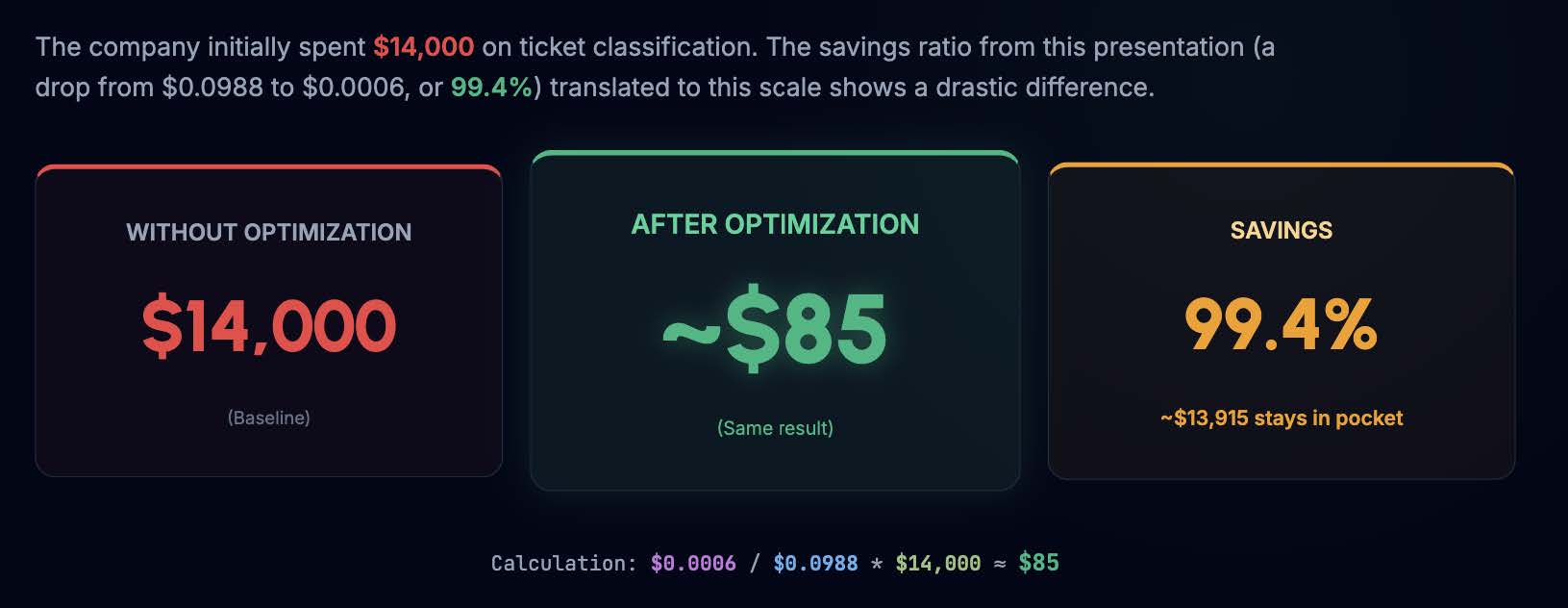
Let's return to the massive bill from the beginning. If the company initially spent $14,000 on ticket classification without optimization, let's see how our 9 steps scale up. By applying these techniques, the cost of processing a single ticket dropped from $0.0988 to $0.0006 - a 99.4% reduction.
Summary: GitHub: All steps summary
Before you plug another feature into the OpenAI or Anthropic API, stop for a moment and run your data pipeline through these 9 steps. AI architectures are only as powerful as the budget strategies behind them.
Check out the full code repository for all 9 steps on my: GitHub: Repository
"Cost control is not an optimization left for the end. It is an important decision to be made right at the beginning." — Mateusz Chrobok, AI DEVS


 (1).png)